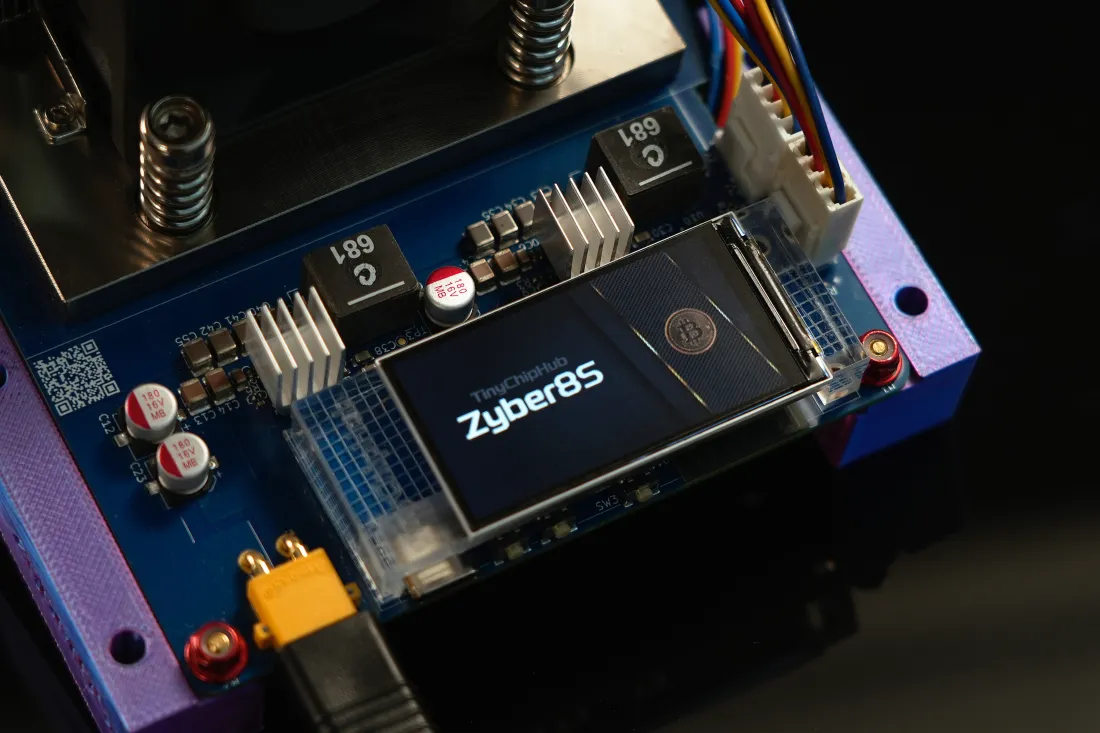
When setting up a mining node on Windows, the pool URL is the most critical line in the configuration file. But many beginners have no idea what to fill in when they first face that URL input box. Actually, there's no single correct answer — it depends on what coin you want to mine, which pool you choose, and whether your home miner uses hosted or self-hosted mode.
For home miners, the standard format for a hosted pool is stratum+tcp://pool-address:port (3333 commonly used). Most mainstream pools also support SSL-encrypted connections, so note that different pools use different ports.
📡 What Is a Public Pool Node URL
Simply put, it's the network address of the pool server. Your mining software connects to the pool through this address before it can start working.
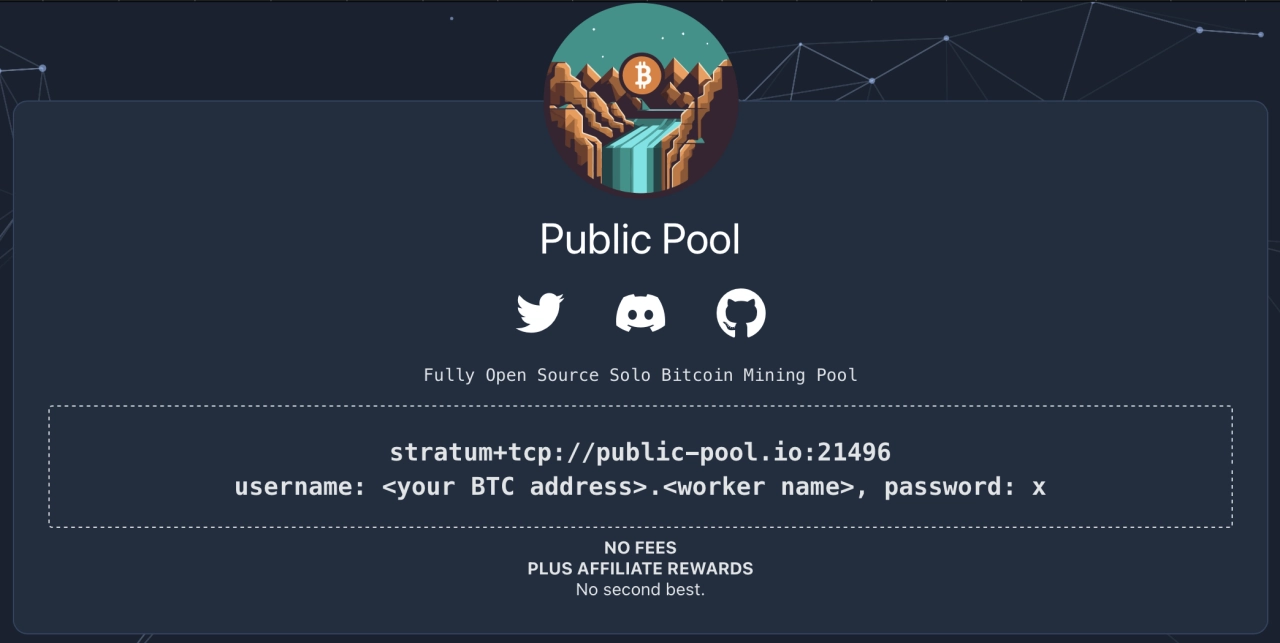
This URL usually contains three pieces of information:
-
Protocol: Usually
stratum+tcp://, the dedicated network protocol for mining. -
Server address: The pool's domain or IP, e.g.
public-pool.io. -
Port number: E.g.
3333. -
Complete public pool node URL:
stratum+tcp://public-pool.io:3333
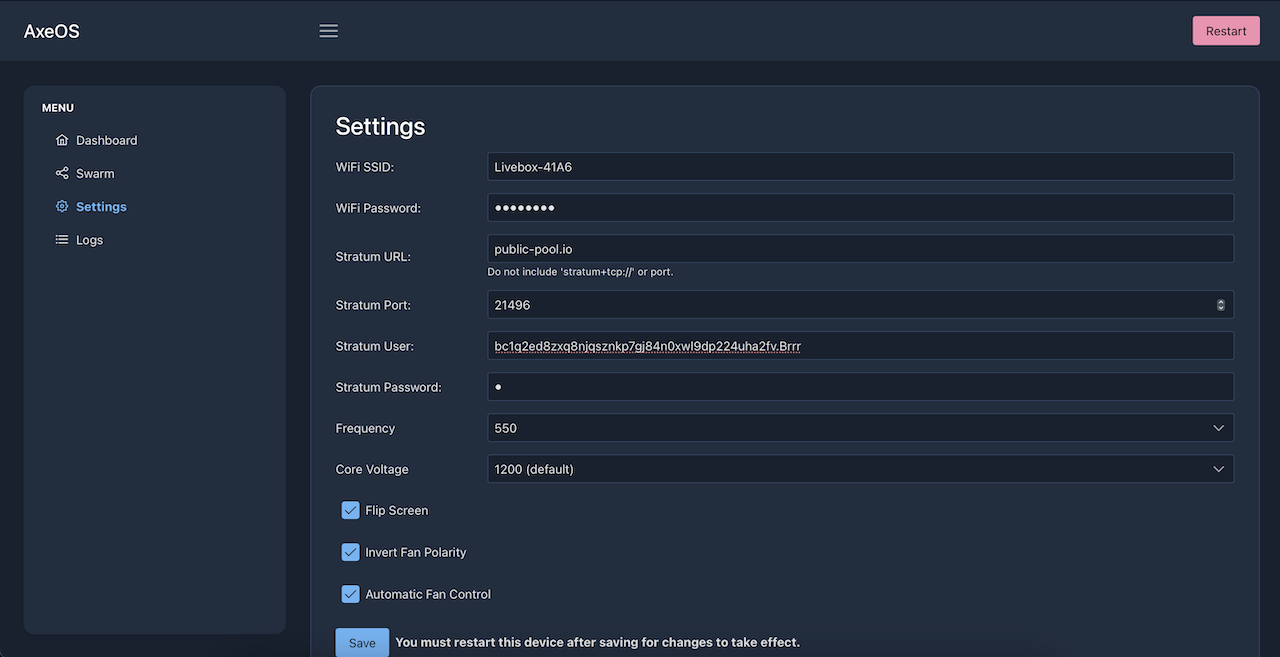
🖥️ How to Use It on Windows?
The usage is simple — usually you modify it in the mining software's config file (e.g. a .bat batch file). Find parameters like -o, --server, or url, then paste the full pool address in.
📝 A Few Real Examples to Get the Feel
Below are address examples from a few well-known pools to help you understand more intuitively:
-
Solo CKPool – Mining BTC:
stratum+tcp://solo.ckpool.org:3333 -
Public Pool (Hosted) – Mining BTC:
stratum+tcp://public-pool.io:21496 or :3333 -
Public Pool (Self-Hosted) – Mining BTC:
local IP -
AtlasPool – Mining BTC:
stratum+tcp://solo.atlaspool.io:3333
Hosted Pool Vs. Self-Hosted Node
The choice you're facing is essentially whether your TCH Zyber 8G is "renting space to work" or "building your own workshop" — the former has a low barrier but you have no control; the latter is troublesome but fully under your control. That's also the difference between hosted and self-hosted.
Well-known hosted pools include Public Pool, F2Pool, SlushPool, CKPool, AtlasPool, etc. The vast majority of small miners simply host in these pools — hassle-free and effortless.
Users who choose self-hosted nodes usually have 10+ ASIC Miners in hand. This type of pure geek typically runs a self-hosted node on the recently popular Public Pool.
- 🔥 Hosted pool: Register account → copy stratum URL → paste into miner config, done in 5 minutes;
- 💪 Self-hosted node: Download Bitcoin Core → sync blockchain (740GB+) → deploy public-pool → generate local stratum address. Whole process: 1–3 days;
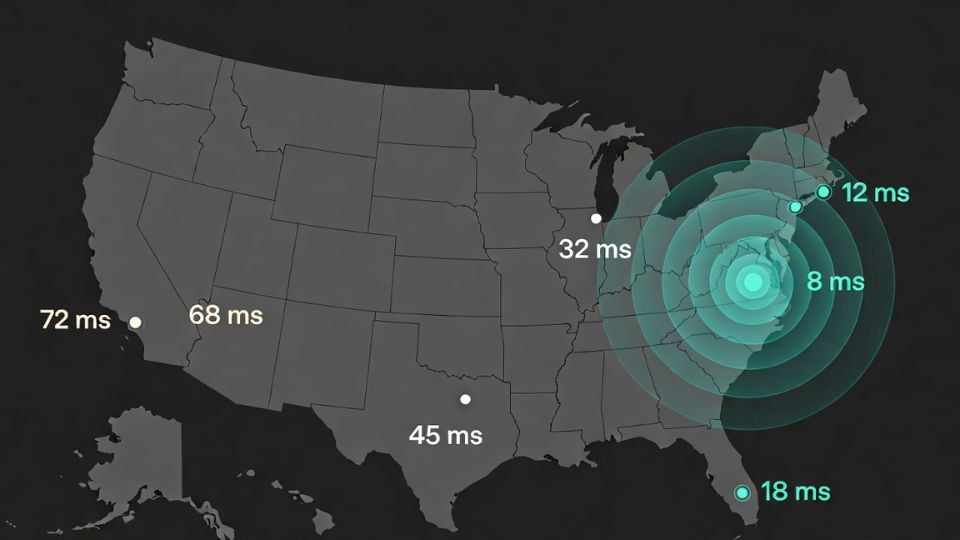
The core difference between the two modes on Windows: with a hosted pool you connect to someone else's server; with self-hosted you connect to a node you run locally or on a VPS. Pools using the Stratum V2 protocol can theoretically push connection latency below 12ms, a noticeable improvement over the old Stratum V1 average of 40–80ms.
| Comparison Dimension | Hosted Pool | Windows Self-Hosted Node |
|---|---|---|
| Startup Time | Within 5 minutes | 1–3 days (includes blockchain sync) |
| Stratum URL | Copy directly from pool official site | Locally generated: stratum+tcp://127.0.0.1:3333 |
| Fee | 1–4% (PPLNS/FPPS) | 0% (no cut for self-built) |
| Hardware Requirement | Any machine with network | At least 16GB RAM + 1TB SSD (NVMe recommended) |
| Network Dependency | Public internet is enough | Needs stable upload bandwidth (recommended ≥50Mbps) |
🚩Windows Self-Hosted Setup
Running a self-hosted pool node on Windows is a "thrilling yet tedious" experience — you'll feel a sense of accomplishment when you get it running yourself, but there are quite a few pitfalls along the way. The public-pool project is currently one of the preferred solutions for Windows self-hosting. Compared to ckpool, public-pool has a friendlier web UI, more open-source code, and shows connected miner hashrate and submitted shares in real time.
The core components are Bitcoin Core + open-source public-pool. Bitcoin Core handles full node syncing; public-pool exposes the mining interface as the stratum protocol.
- Step 1: Download Bitcoin Core 28.x (official site bitcoincore.org), Windows installer ~42MB. After installation, the first sync needs 740GB+ of block data. The SSD must be NVMe — a mechanical HDD will turn sync time from 2 days into 2 weeks.
- Step 2: Edit the
bitcoin.conffile (default pathC:\Users\YourName\AppData\Roaming\Bitcoin\), addserver=1,rpcuser=yourname,rpcpassword=yourpass. - Step 3: Deploy public-pool (GitHub open-source project). It spins up a local stratum service, listening on port
3333by default — remember to allow it in Windows Firewall. - Step 4: The local stratum URL is
stratum+tcp://127.0.0.1:3333. Worker name is whatever you like; password fill inx.
⚠️ Windows Defender sometimes flags public-pool executables as malware — this is not a virus; it's heuristic detection triggered by mining software behavior patterns. Add the install directory to Defender's "Exclusions" and you're good. Don't just turn off all protection.
Common Issues❓
90% of "why won't my Bitaxe Gamma, NerdQaxe++ etc. connect to the pool" problems boil down to just a few things: wrong URL, port blocked by firewall, or incorrect worker name format. Once you've checked those, the remaining 10% are actual network or hardware issues.
Q1: Stratum URL disconnects immediately after connecting — what's wrong?
First check the pool's status page — mainstream pools like F2Pool and ViaBTC have real-time service status dashboards. If the pool is fine, the problem is likely Windows Firewall. Open "Windows Defender Firewall with Advanced Security", manually add an outbound rule, and allow the target port (3333).
- ➡️ Test connectivity: Run
telnet btc.f2pool.com 1314in CMD — a blank response means it's connected - ➡️ If telnet isn't installed:
Test-NetConnection -ComputerName btc.f2pool.com -Port 1314(PowerShell) - ➡️ SSL port test:
Test-NetConnection -ComputerName btc.f2pool.com -Port 3443
Q2: Stale share suddenly spiked (over 1%), should I change the URL?
Not necessarily. Check whether it's network jitter or a pool issue first. High stale share is usually because the latency from your miner to the pool exceeds 100ms. The fix is to switch to a nearer node of the same pool (North American miners should prioritize US East or US West nodes).
Q3: Pool URL format — should there be a trailing slash after the port?
No. The correct format is stratum+tcp://pool.example.com:3333 — no trailing /. Some older cgminer versions tolerate the slash, but the config interfaces on Antminer and Whatsminer official firmware are picky about format — one extra character and it won't connect. This is where a lot of people get stuck.
Q4: Windows self-hosted node — stratum service won't start after Bitcoin Core finishes syncing?
Confirm that server=1 exists in bitcoin.conf and isn't commented out (no # at the start of the line). public-pool requires Node.js 18.x or above. On Windows, startup often fails due to the wrong Node version — run node -v to confirm, and if it's wrong, go to nodejs.org and reinstall the LTS version.