Your Bitaxe not showing workers on Public Pool Solo doesn't mean it's not mining, and certainly doesn't mean no Block was Found! It might be that the main pool is down (e.g., the Public Pool 9.5-hour outage event), and you need a fallback pool to keep you covered. Especially considering the recent #2 block (#957382) found on Public Pool's hosted public pool by a lone Bitaxe Miner. Therefore, choosing a backup mining pool requires extra caution!
According to Atlas Pool's data analysis of that event, within 10 minutes of the fault, 14,000+ workers automatically switched to CKPool, with migration complete in 30 minutes and recovery very fast. Bitaxe (BM1370 solo miner) defaults to Public Pool. When the main pool goes down, all hashrate goes to CKPool (although it's a trusted veteran with a 2% fee). However, the emerging Atlas Pool only charges a 1.5% fee, offers lower overall latency, and wider coverage, making it a better choice.
Block Found: #957382 -> Bitaxe
Just recently (July 9th), a Bitaxe miner equipped with a BM1370 ASIC chip, hashrate around 1.2 TH/s, independently mined block #957382 on Public Pool. This is the second time, and the intervals are getting shorter. Think of hashrate like grains of sand. A Bitaxe miner, powered by a single 5V@6A power supply, competing among 141,000+ devices on a large pool, is like single-handedly hitting a full block in a vast desert. 💪
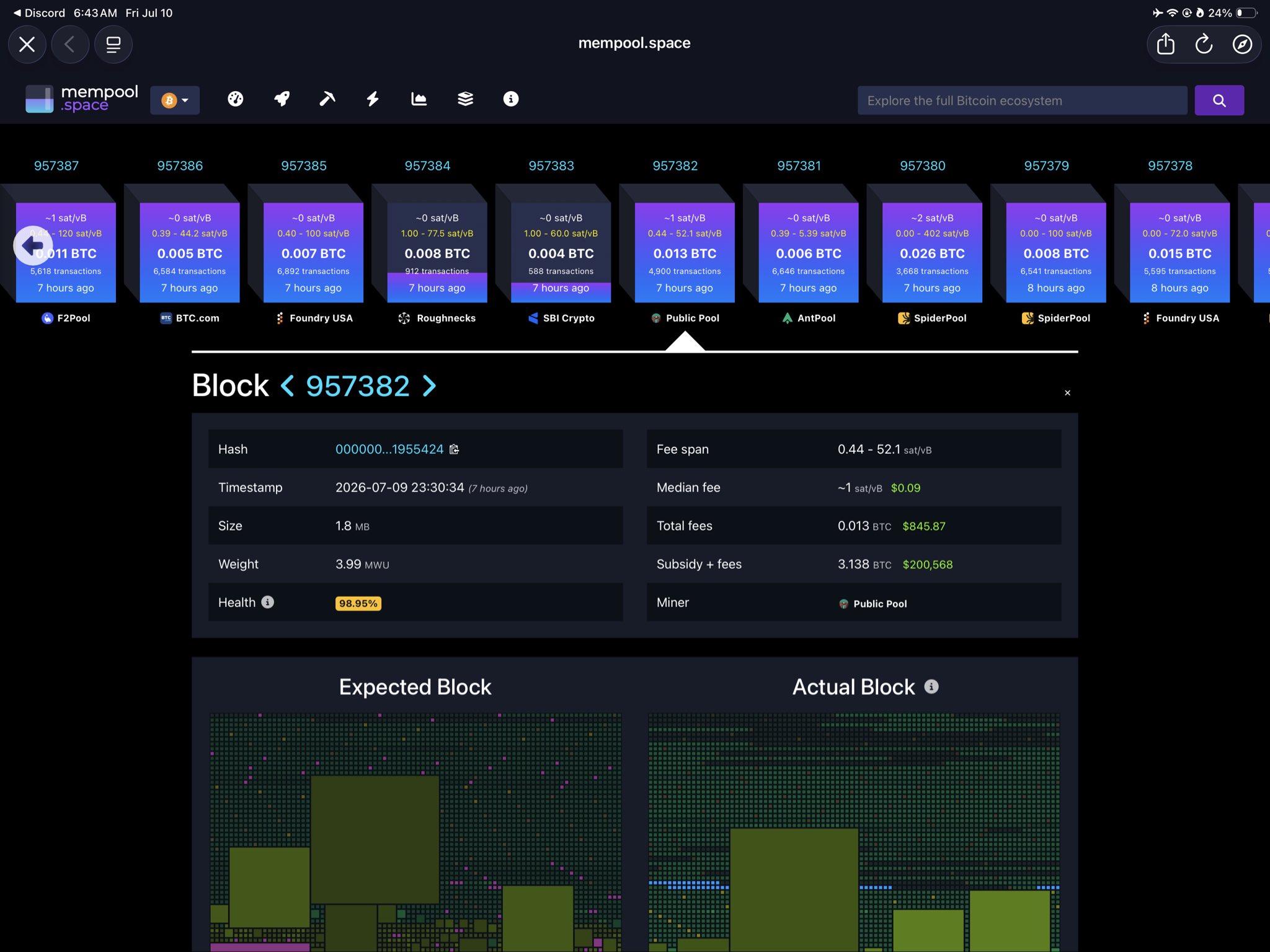
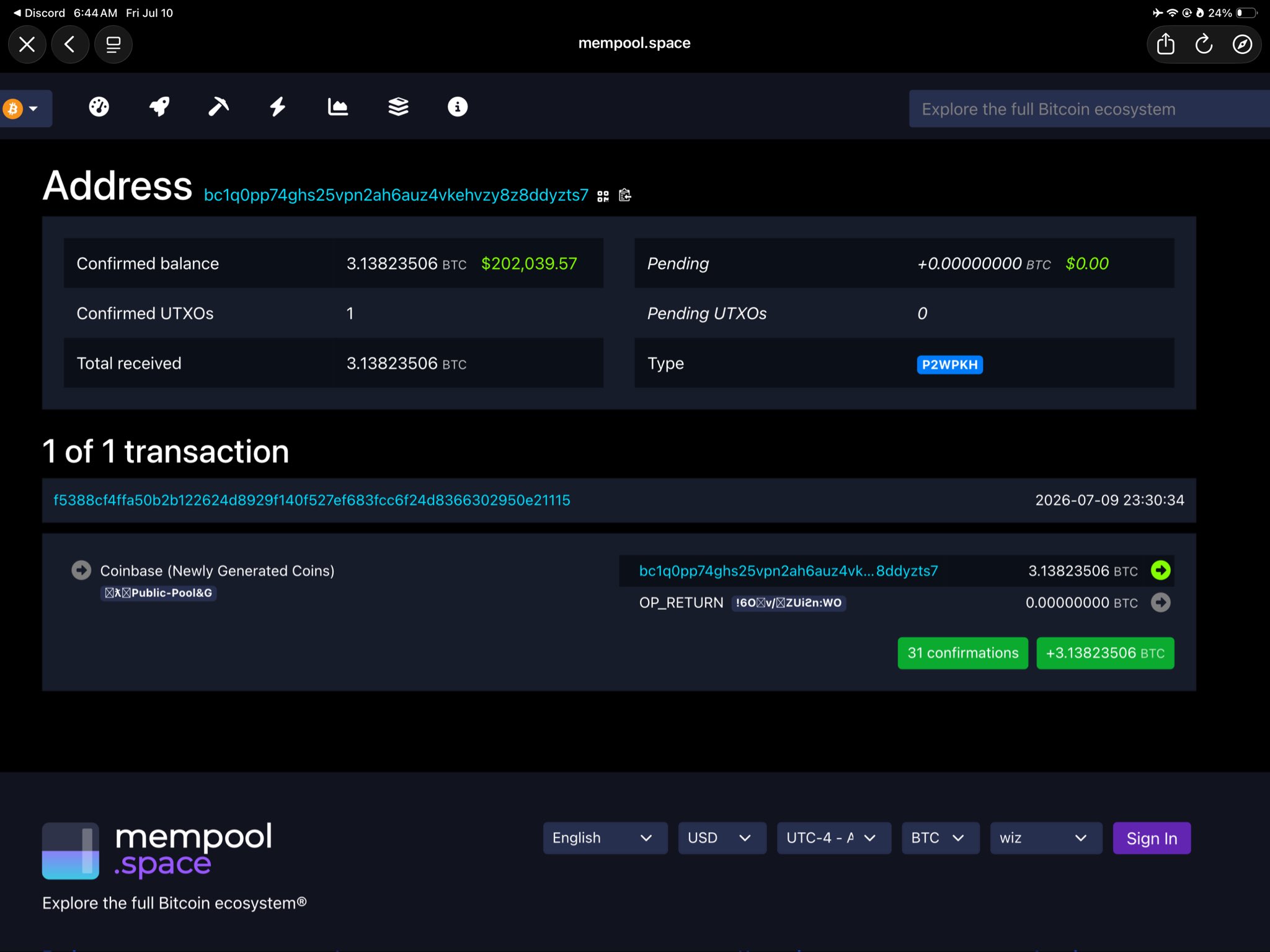
Don't rush to call it "pure luck." Looking closer reveals more: This Bitaxe belongs to miner address bc1q0pp74ghs25vpn2ah6auz4vkehvzy8z8ddyzts7, running entirely on AxeOS v2.5.1 firmware (verified via Bitaxe open-source project OTA signature). The block hash 00000000000000000000f4f8c91a6c400c42a40577fafa2ca2231d78f1955424 is confirmed on mempool.space.
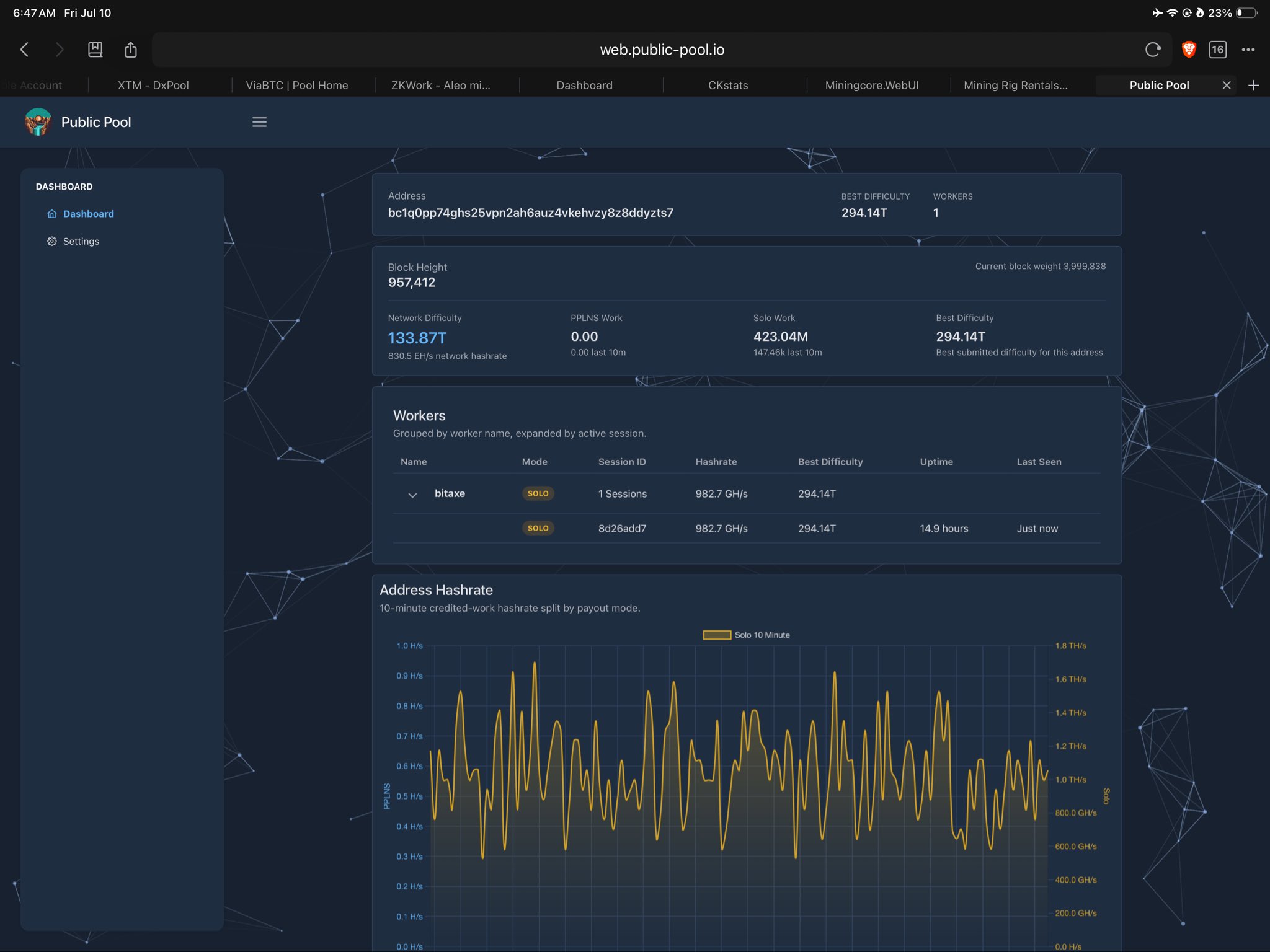
The difficulty was 294.14T, 2.2 times the network BTC difficulty of 133.87T. The total block value was 3.1382 BTC (subsidy 3.125 + fees 0.0132), with Public Pool charging 0% fees. With a global hashrate of 874 EH/s, the probability of a 1 TH/s solo miner finding a block is akin to "once every few thousand years." So when news broke, all Bitaxe Gamma users rushed to web.public-pool.io/#/app/<address> to check their workers. After all, if the owner of this Bitaxe hadn't proactively checked the Blocks tab, they might still not know they had won. 🔥
- Hashrate Confirmed: 995.2 GH/s (~1 TH/s)
- Time Taken: Approximately 8 hours to submit the winning share
- Tools: Likely Bitaxe Gamma + Public Pool (hosted)
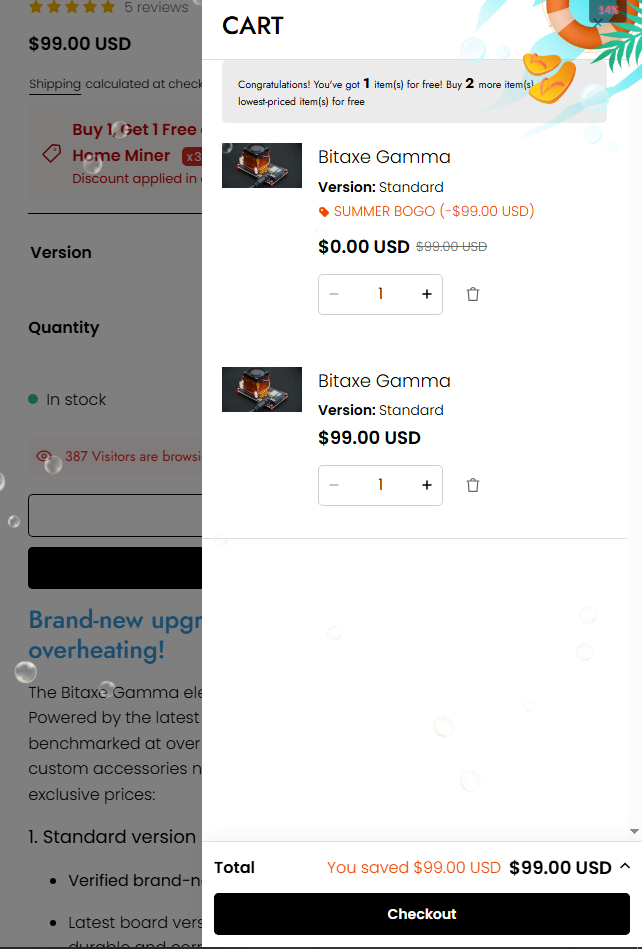
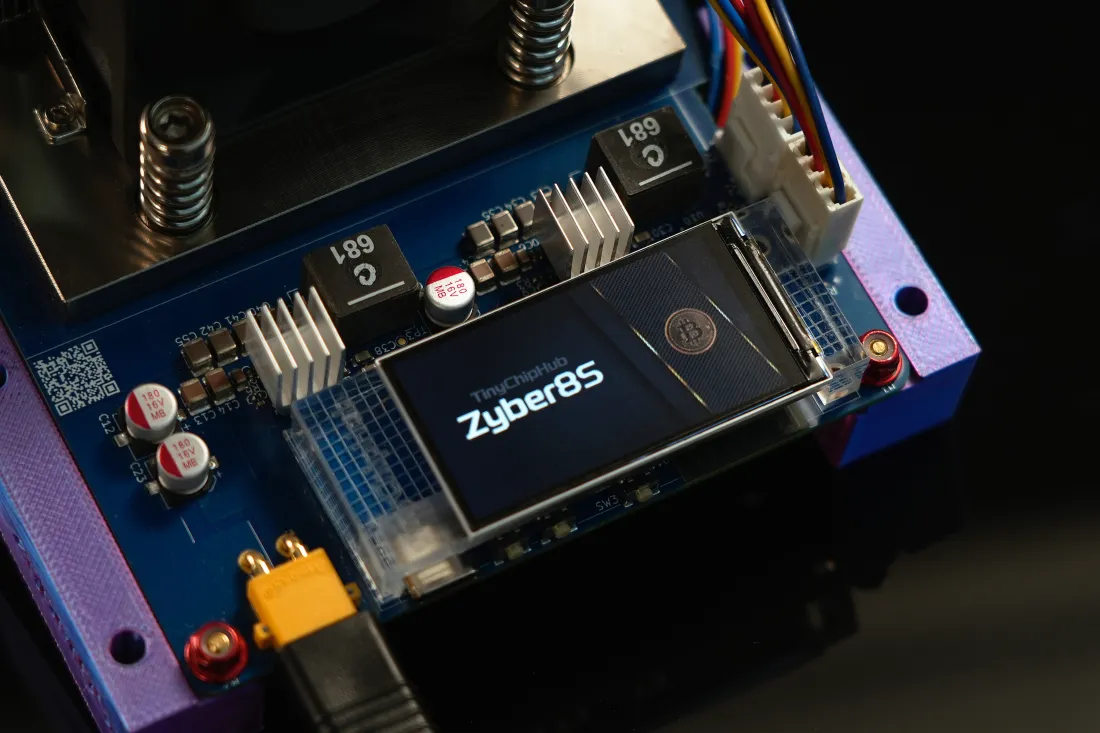
This Bitaxe miner consumes only 21W of power and retails for $69. Now, TinyChipHub Studio is holding a summer BOGO event: buy 1 get 1 free, bringing the price down to just $49.50 per unit. Bitaxe miners are no longer lonely; TCH is giving back to the BTC community, allowing more people the chance to experience mining, while stocks last.
Public Pool Down? Check First
On March 29, 2026, at 04:27 UTC, Public Pool.io experienced a 9.5-hour offline outage! An announcement was later made on Twitter stating that service resumed at 13:59 UTC. The fault was caused by "misconfigured services failing to restart." So, before rushing to change router settings, take 60 seconds to check something more likely: Public Pool itself went down. Over 144,000 miners were instantly disconnected, but these 144K mining devices didn't stop, because almost all Bitaxes running AxeOS come with CKPool as the default fallback pool address. Within 10 minutes of the outage, CKPool's primary US instance saw an influx of +9,600 users and +14,200 miners (data from Atlas Pool's data analysis).
➡️ Your hashrate wasn't wasted; it just changed routes for submission.
| Timestamp | Event | Migrated Miners |
|---|---|---|
| UTC 04:27 | Public Pool Offline | — |
| UTC 04:37 | 14,200+ miners flood CKPool | +14,200 |
| UTC 05:00 | CKPool total hashrate surges to 271 PH/s | +57 PH/s |
| UTC 13:59 | Public Pool Recovers | — |
| UTC 14:30 | Almost all miners switch back to Public Pool | -14,000+ |
How to quickly determine if it's a pool-side problem?
- Open the Public Pool.io homepage—if even the homepage won't load or the API returns 503, don't touch your home miner for now, browse forums for information first.
- Log into CKPool to see if your address is submitting shares. Atlaspool.io published a complete analysis within 48 hours of the March event.
- Check the Stratum status in the AxeOS Web UI: If it shows "Stratum: connected (fallback)", it means the main pool is down and your miner has switched to the backup line.
⚠️ Pitfall of Factory Default Wallet Address: Atlaspool data showed that during the Public Pool outage, the Bitaxe factory default address (bc1qnp...4rkq) saw a surge of +1,300 miners on CKPool. Besides approximately 480 miners who never changed the default address, about 800 miners risk losing block rewards during any failover event because their fallback wallet address still points to the Bitaxe project's address, not their own. If you are mining with a Bitaxe or similar AxeOS device, please check your primary and fallback pool wallet addresses to ensure both are set to your own Bitcoin address.
Confirm You Didn't Miss a Block Found!
As a Stratum v2 client, Bitaxe does not require the Dashboard to be online at all to find a block. Stratum v2's Job Negotiation protocol establishes an end-to-end encrypted channel between the miner and the pool. The entire process, from the miner receiving a New Work Job to submitting the complete block header, completely bypasses the Dashboard rendering layer. ❄️
Three-Step Practical Confirmation:
- Check mempool.space payout records: Paste your Bitaxe receiving address into the mempool.space search bar. If a block was hit, you will see a Coinbase transaction (no inputs, has outputs) with an amount equal to the current block reward. Note: Coinbase transactions do not show a "from" address; this does not indicate a problem—it's inherent to the Bitcoin protocol design.
- Check AxeOS local logs: SSH into the miner or export log files via the Web UI. Search for keywords
"block submitted"or"share difficulty >= pool difficulty × 65536"—the latter appearing indicates the share difficulty equals the network difficulty, essentially meaning a valid block was found. - Check Public Pool API Records: In your browser, visit
https://public-pool.io/api/miners/your_address/records. If the returned JSON contains a"blockHeight"field, it confirms that a miner associated with your address did submit a complete block.
If, after Public Pool recovers, your Bitaxe miner's log shows a "block submitted" entry but the Dashboard doesn't display it correspondingly, it's not a bug; it's just the Dashboard's delay hasn't synced yet. Checking your address balance on mempool.space is more reliable than staring at the Dashboard. ⚡️
| Verification Method | Required Tool | Response Speed |
|---|---|---|
| Public Pool Blocks Tab | Browser | Real-time (but delayed during outage) |
| AxeOS Best Diff | Miner Local Page | Seconds |
| mempool.space Address Monitoring | Email/Webhook | ~1 minute after block confirmation |