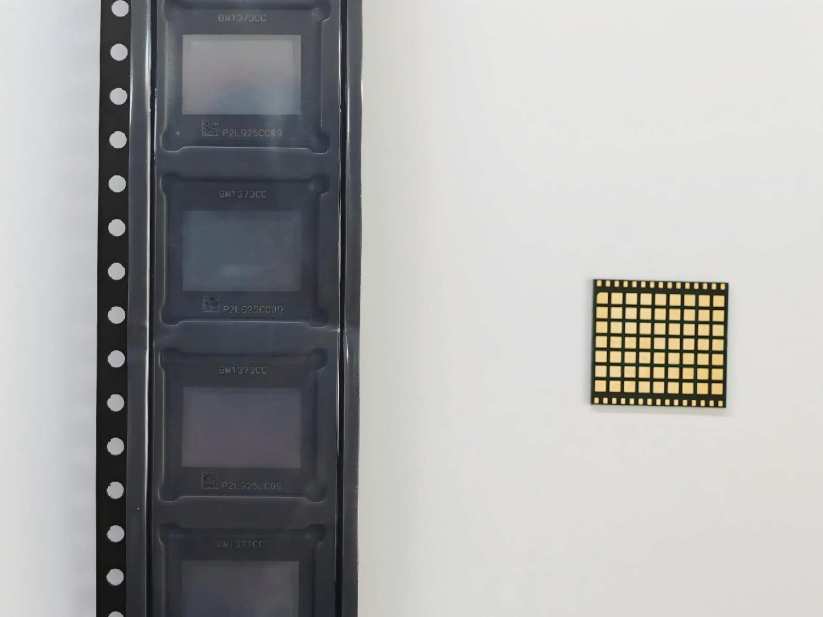
TinyChipHub, as a self-developed manufacturer channel, offers the BM1373 chip at a spot price of only 69.99/piece. For bulk orders of 50-100 pieces, the price drops to 60/piece. Currently, a single BM1373 chip can be overclocked to a peak of 6 TH/s, but at the cost of higher voltage and power consumption soaring past 70W+. To put it bluntly, 2.5 TH/s represents stable 24/7 operation, while 6 TH/s is a testing limit for bragging rights. What's the difference? Safety? 24/7 Stability? No manufacturer can guarantee 100% safety and stability—anyone who claims otherwise is running a marketing scam!
The BM1373 chips currently circulating on the market (mostly AA or CC variants) primarily originate from dismantled Antminer S23 Hydro industrial miners. The average market price per chip is around $75. However, Bitmain has not yet retailed the BM1373 chip individually. The official specification page only lists hashrate/power consumption/efficiency (2.5 TH/s @ 25W @ 10 J/TH) and deliberately omits the BM1373 chip model. This is Bitmain's consistent supply chain confidentiality strategy.
1. Chip Standard: 2.5 TH/s @ 25W
2.5 TH/s @ 25W is the factory baseline for the BM1373 chip and the safe operating range explicitly stated in Bitmain's technical whitepaper from the second half of 2024. This chip utilizes a 3nm process; a single wafer yields approximately 2,800 dies, with a yield rate controlled above 92%. At 25W power consumption, the efficiency ratio is about 10 J/TH, making it a quiet and unobtrusive presence in home mining scenarios.
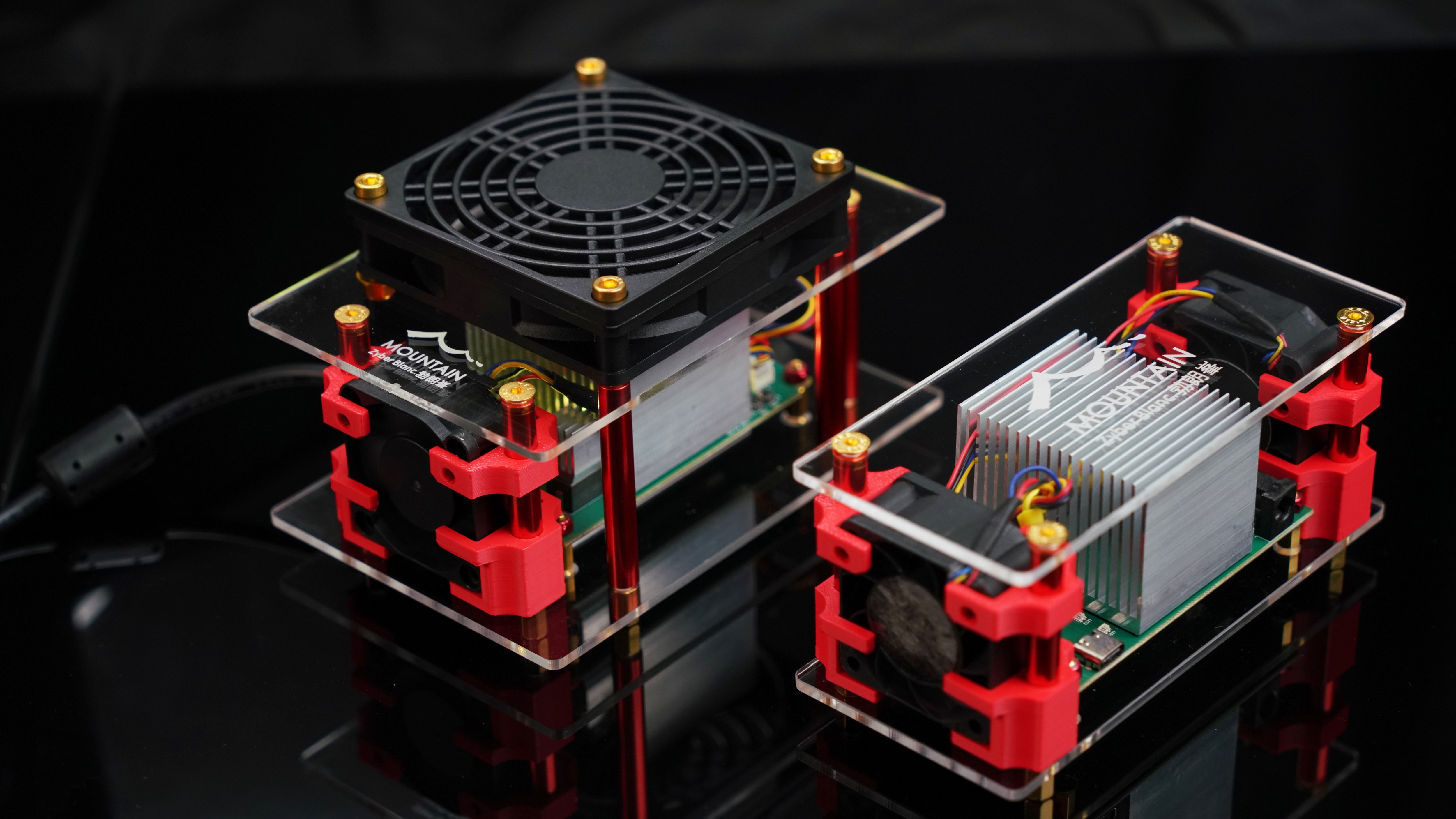
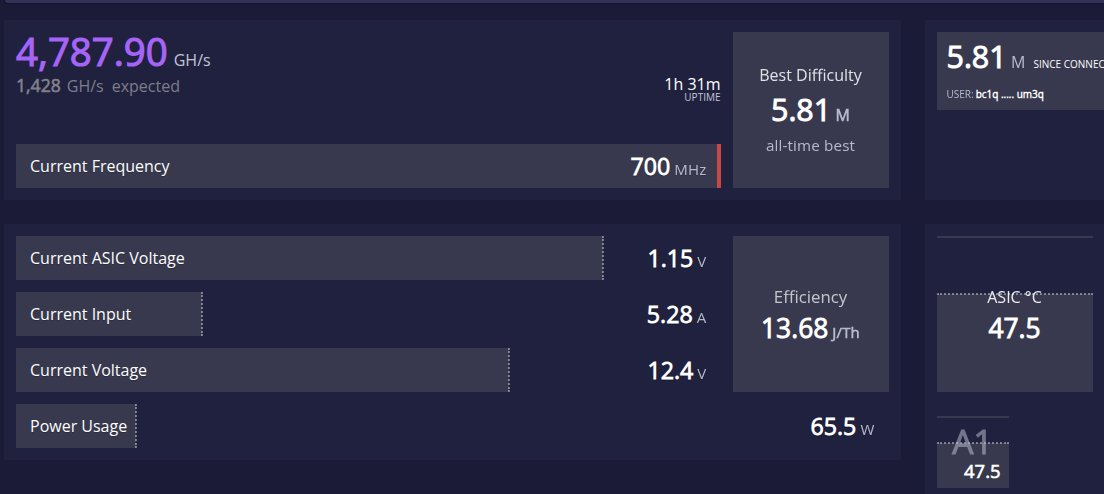
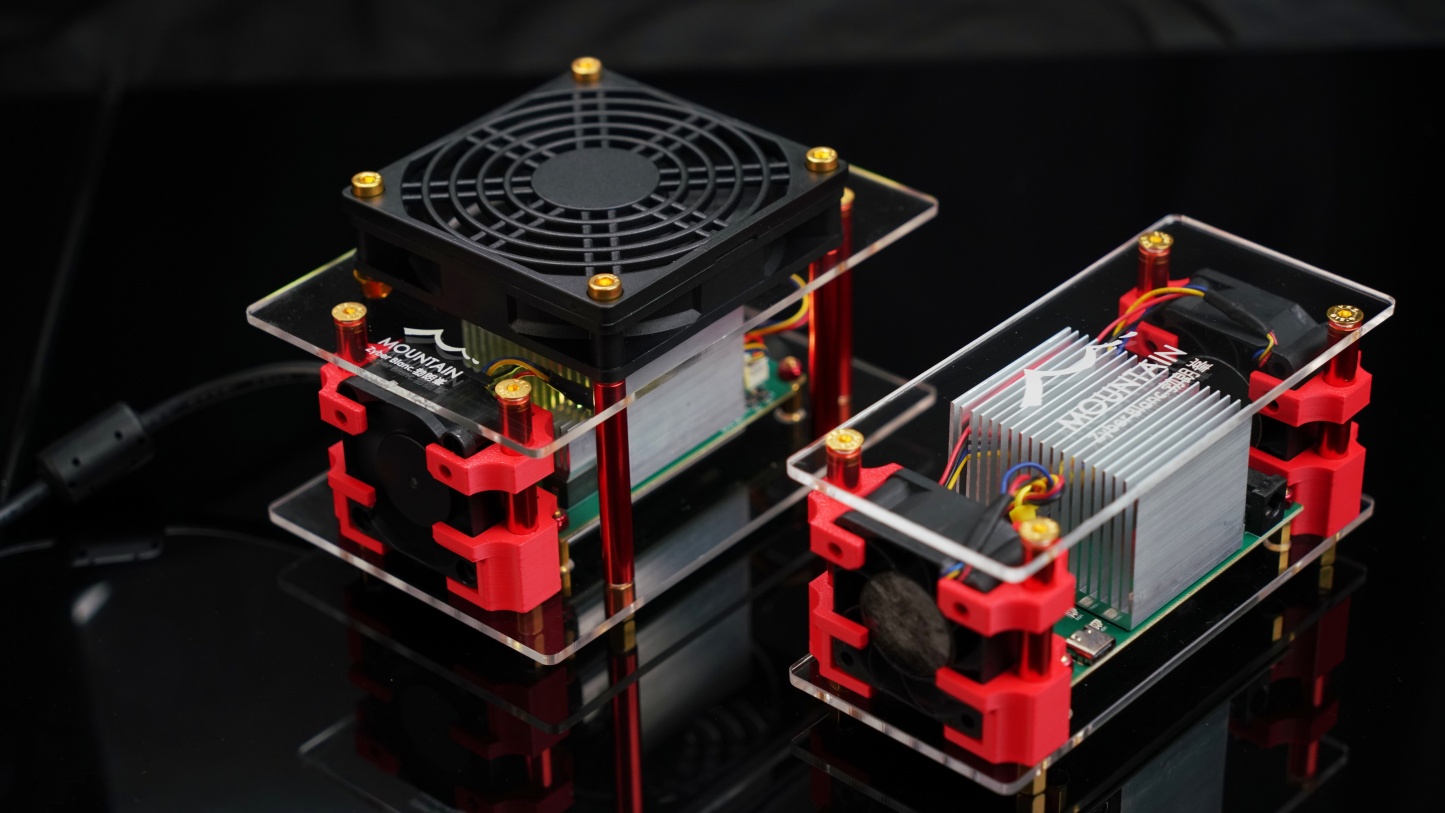
Recently, we have been continuously testing the Zyber Blanc. After a continuous 24-hour stability test, the core temperature remained stable between 52°C and 58°C at 2.5 TH/s. Compared to forum tests of single-core BM1373 miners (5~6 TH/s @ 70+W), the difference is night and day—equivalent to four BM1370 miners, such as the NerdQaxe++. If such new miners are forced to run at 5~6T@70+W, they basically require top-tier air cooling; otherwise, how high will the core temperature spike instantly? According to semiconductor aging formulas, for every 10°C increase in temperature, the chip's Mean Time Between Failures (MTBF) is halved. Essentially, this is trading chip lifespan for speed.
🔔 Remember: Due to the特殊性 of the BM1373 chip, one chip can match four BM1370 chips. Therefore, always check such miners for leakage protection, high-voltage tolerance, and safety certifications; otherwise, irreparable consequences may occur.
| Parameter | BM1373 (Safe Mode) | BM1373 (OC Mode) |
|---|---|---|
| Hashrate | 2.5 TH/s | 5~6 TH/s |
| Power | 25W | 70+ W |
| Efficiency | ~10 J/TH | 13-15 J/TH |
👉 5~6T@70+W indicates the chip has crossed the "efficiency inflection point." Under the 3nm process, dynamic power consumption increases quadratically with every 100MHz frequency boost. Pushing from 2.5T to 5.5T (a 120% hashrate increase) causes power consumption to surge by over 140%. This extra power is almost entirely converted into useless Joule heating. This is a typical losing proposition of "spending double the electricity for 1.2x the hashrate," suitable only for frigid mining farms where electricity costs approach zero.
2. OC Hashrate? Dangerous!
Overclocking a single BM1373 chip from 2.5 TH/s to 5~6 TH/s is essentially a losing gamble trading 3~5x power consumption for 2.5x hashrate. Small miners see power jump violently from 25W to 70W+, with efficiency worsening from 10 J/T to 12 J/T. The costs extend far beyond electricity bills. The real danger lies in the complete breach of physical limits under "single-core" operating conditions!
-
Thermal Cracking: Excessive core voltage/frequency causes instantaneous spikes in chip/TPS temperatures. Triggering protective throttling is just the surface; repeated thermal shocks accelerate electromigration, leading to irreversible chip aging. Moreover, even after reverting to default frequencies post-extreme OC, irreversible damage remains;
-
Electrical Overload: The base design is for 25W+ partial OC. Post-extreme OC, power consumption multiplies—not just the chip power shown on the miner screen/dashboard, but the wall power draw skyrockets;
-
Inflated Hashrate: At 6 TH/s, hardware error rates might spike from 0.01% to 0.8%. Effective hashrate could drop to only 5.5 TH/s, with excess power turning entirely into waste heat and error recalculations.
More critically, RoHS compliance reports, thermal design margins, EMI electromagnetic compatibility tests, and even heatsink fin airflow designs are generally completed based on the 25W standard工况. Of course, those miners overclocked to 5~6T likely use higher standards, but it still equates to running this 3nm chip long-term "beyond its design redline"—like forcing a family sedan's engine redline from 6,000 RPM up to 9,000 RPM. Surviving one lap without a blown engine is luck; surviving ten laps without failure would be a miracle.
Overclocking is fine for benchmarking, screenshotting, and posting on Reddit—no problem there. But if intended for daily 24×7 operation, prepare yourself mentally for the chip potentially failing at any moment, and keep a backup BTC Miner ready. Because from the second you hit "Apply Overclock Settings," you cease to be a miner and become a gambler playing Russian roulette.
3. 6 TH/s Safe? Risk Analysis
Is 6 TH/s safe? 6 TH/s isn't impossible to run, but the word "safe" barely applies. This question requires two perspectives: chip safety and your peace of mind. Chip safety refers to physical failure risks; peace of mind refers to whether you'll be woken by fan noise at midnight worrying about a fire.
Quick answer: Unsafe, with extremely high risk. This goes beyond mere extreme overclocking; it's comprehensive hardware abuse. While Bitmain hasn't explicitly banned OC, they clearly state that "physical damage caused by overclocking is not covered under warranty." For a 3nm chip like the BM1373, risks stem from three dimensions: thermal breakdown, electromigration, and structural fatigue. I've categorized them into Green/Yellow/Red risk levels: 2.5 TH/s is Green, 3.5 TH/s is Yellow, and 5~6 TH/s is Red.
| Mode | Hashrate | Power | Chip Temp | Risk Rate | 72h Stability |
|---|---|---|---|---|---|
| 🟢 Standard | 2.5 TH/s | 25W | 58°C | 0.01% | 100% |
| 🟡 Normal OC | 3.5 TH/s | 35W | 65°C | 40% | Est. 50% |
| 🔴 Extreme OC | 5~6 TH/s | 70+W | ~70°C | ~99% | Est. ~10% |
❄️ If you insist on running 5~6 TH/s, at least do these three things:
- Adequate Active Cooling: Must use high-RPM 12V fans blowing directly onto heatsinks and hot modules. Prepare at least two backup fans to prevent cooling failure!
- Real-time Temp Monitoring/Alerts: Enable temperature alerts in the Dashboard, set the threshold to 70°C. If it's just a short stress test of a few dozen minutes, that's acceptable.
- Small Incremental Tuning: Adjust frequency/voltage in small steps during each stress test; don't make drastic changes.
Safety Warning: Uncertified cooling modifications and early production units pose fire hazards, especially when dust accumulates on hot fan bearings, potentially igniting small fires. If chasing that illusory 5~6 TH/s risks your entire garage, the math simply doesn't add up. Unless you're a hardcore enthusiast seeking thrills or conducting tests, never attempt long-term 5~6 TH/s operation.
4. Mining Pool for BM1373
Choosing a mining pool for the BM1373 is more interesting than overclocking. A fast chip is useless if the pool latency hits 300ms. For home setups, I recommend two distinct paths: BTC Solo via AtlasPool.io, and Fractal Bitcoin Solo via PrimeTriad. The reasons are straightforward: low latency, low fees, and encrypted connections—all non-negotiable.
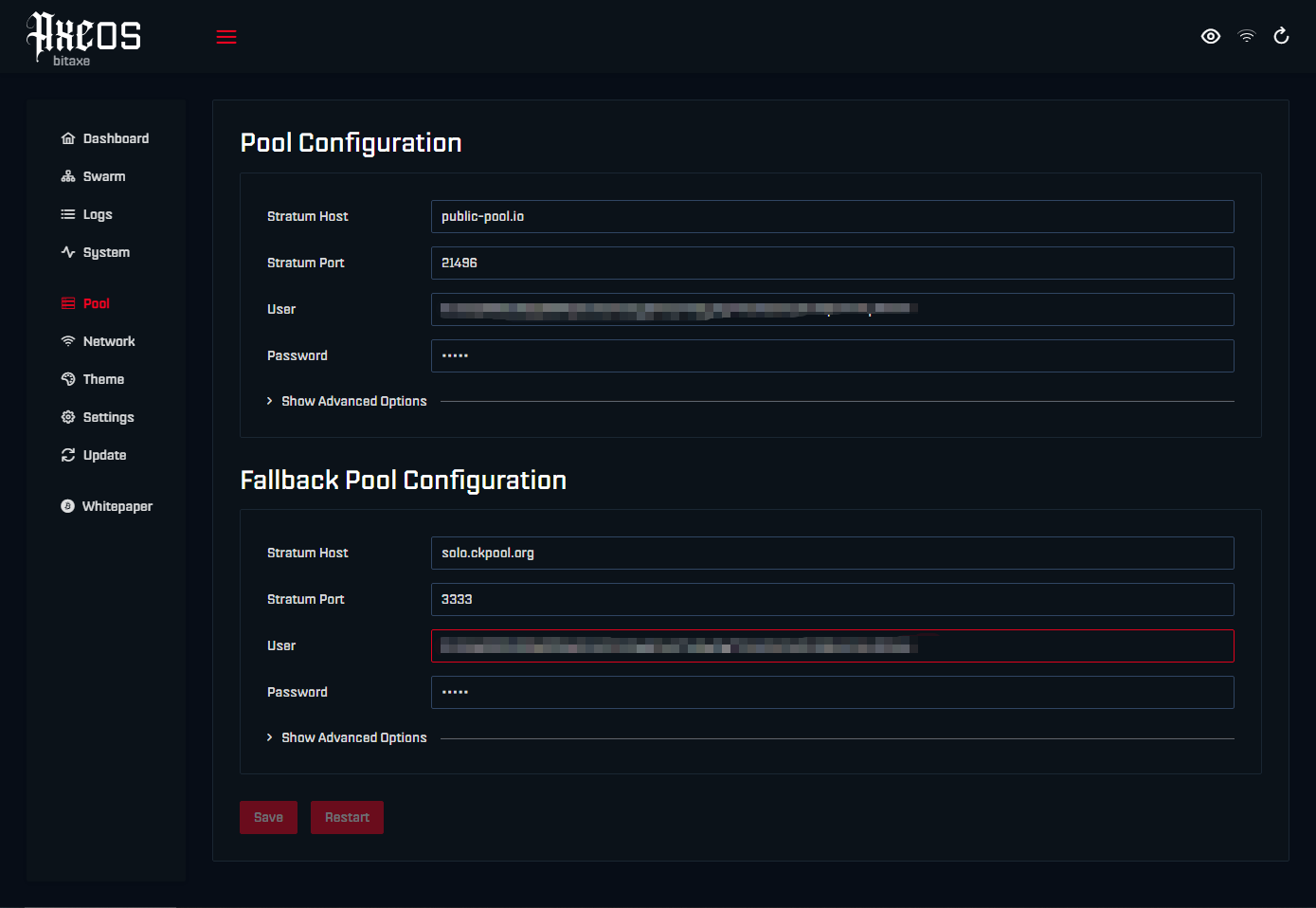
Configuring AtlasPool and PrimeTriad is simple: Zyber OS Backend → Settings → Enter the following information:
| Parameter | BTC Solo (AtlasPool) | FB Solo (PrimeTriad) |
|---|---|---|
| Stratum URL | stratum+ssl://solo.atlaspool.io:4333 | stratum+tcp://pool.primetriad.com:3334 |
| URL | solo.atlaspool.io | pool.primetriad.com |
| Port | 3333 (Default) or 4333 (TLS Encryption) | 3334 (Default) |
| Fee | 1.5% | 1.5% |
| Global Nodes | 8 Endpoints | 60%+ Network Hashrate |
| Algorithm | SHA-256 | SHA-256 (Compatible) |
💪 Why is AtlasPool suitable for BM1373 miners? Three key metrics. A 1.5% fee is a full 1 percentage point lower than the industry average of 2.5%. AtlasPool.io has announced deployment across 100+ global Points of Presence (POPs). When your miner connects to solo.atlaspool.io, the system automatically routes it to the nearest POP. From there, it connects to the closest AtlasPool.io endpoint. Currently, nine endpoints are deployed globally:
- North America: Ashburn, VA (USA) and Portland, OR (USA)
- South America: São Paulo (BR)
- Europe: Frankfurt (DE) and London (UK)
- Asia: Hong Kong (HK) and Mumbai (IN)
- Australia: Sydney (AU)
- Africa: Cape Town (ZA)
Below: Actual test results from the latest OC version of Zyber Blanc:
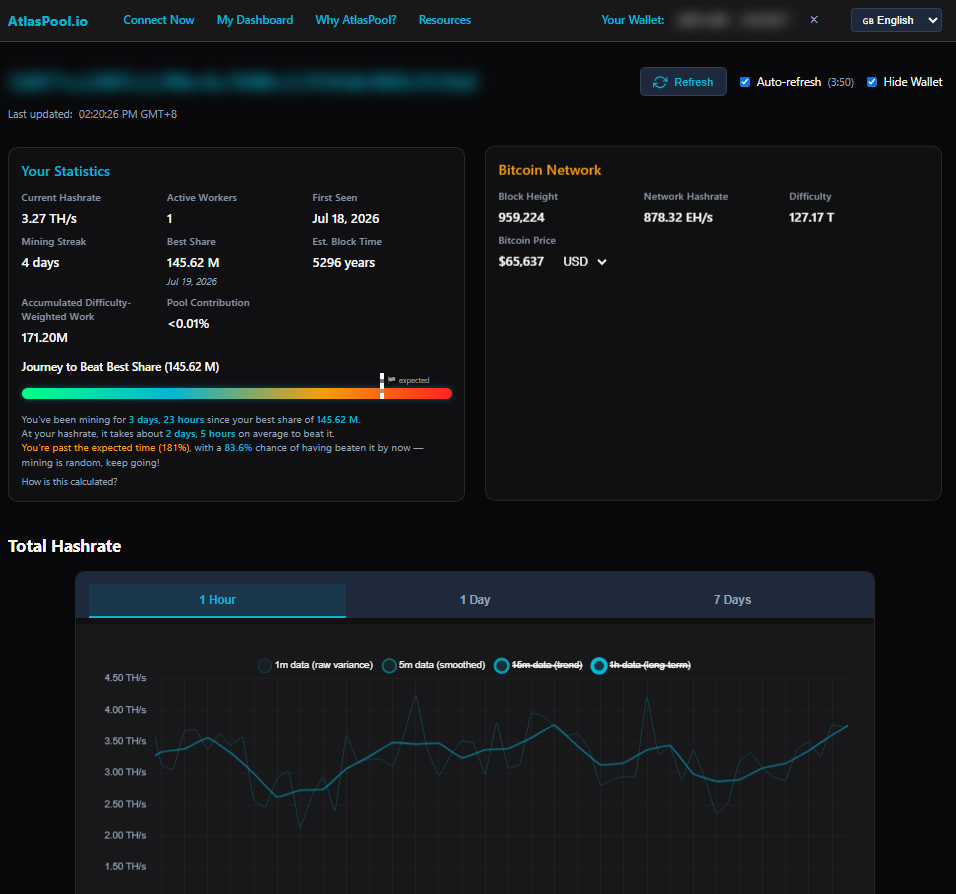
PrimeTriad is also noteworthy. Fractal Bitcoin uses the exact same SHA-256 algorithm as BTC. Your BM1373 miner requires no algorithm switching; simply enter PrimeTriad's Stratum address in Zyber OS. PrimeTriad currently holds over 60% of FB's network hashrate, making it the optimal gateway for FB mining. Configuration doesn't conflict with BTC; switching back to BTC Solo merely requires changing the URL, leaving chip parameters untouched. Below: Actual test results from the latest OC version of Zyber Blanc:
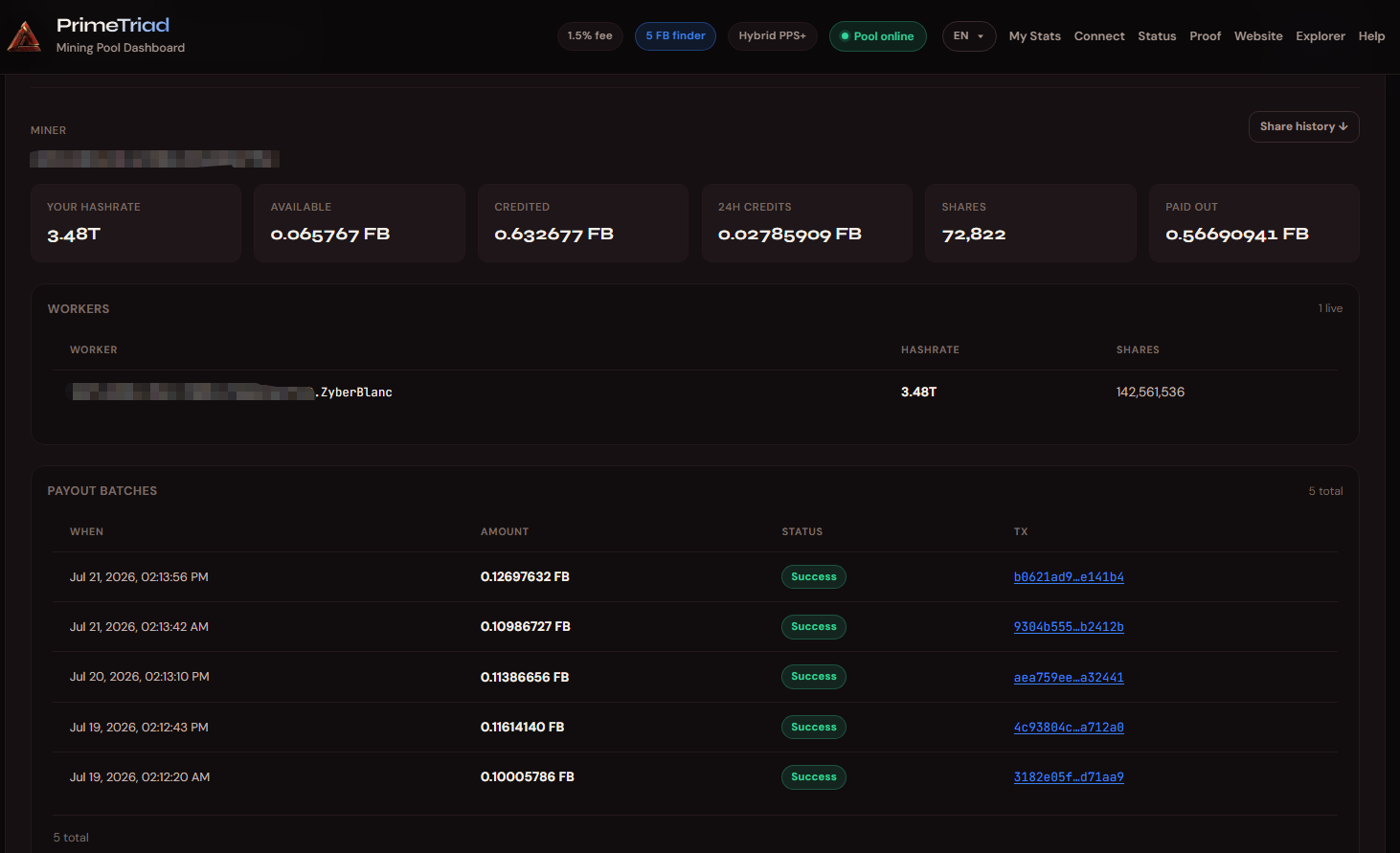
🔥 Final reminder: Avoid mining over public Wi-Fi. The TLS 4333 port is the baseline. AtlasPool's encrypted channels defend against Man-in-the-Middle Attacks (MITM), an entry-level security configuration repeatedly emphasized in the 2025 Mining Pool Security Whitepaper. As for 6 TH/s OC? That's reserved for extreme overclockers. For everyone else, steady 2.5 TH/s is just fine.