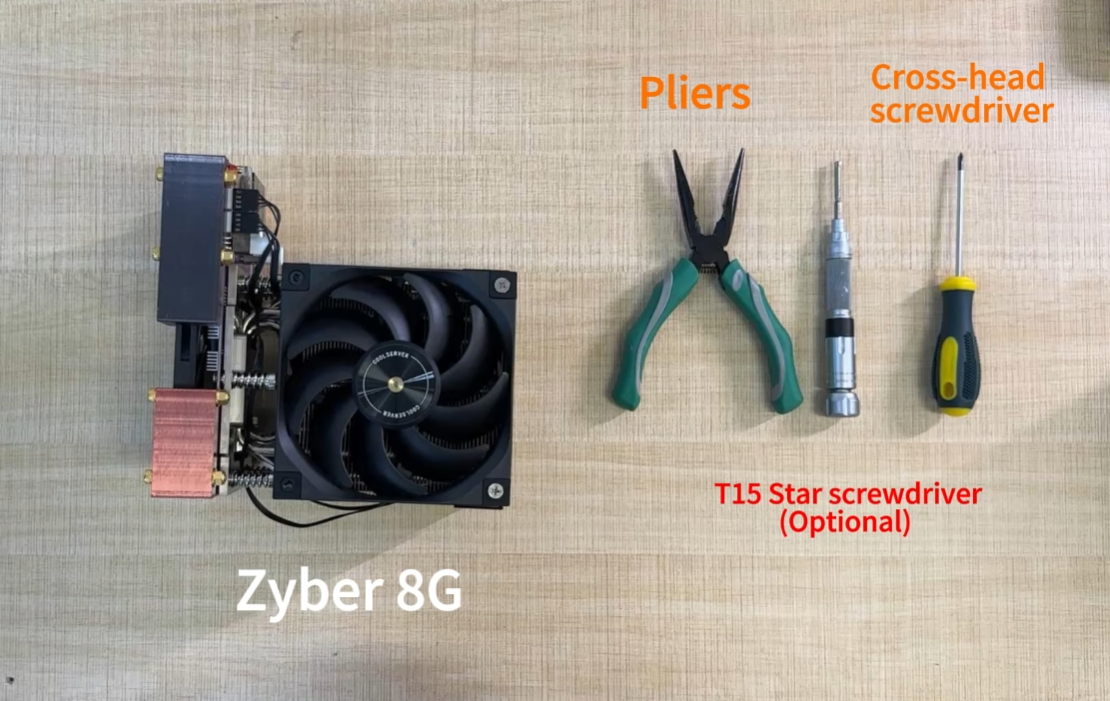
Follow these specifics:
Ⅰ、First, do not plug in power, spend ten minutes understanding how the Bitcoin network operates;
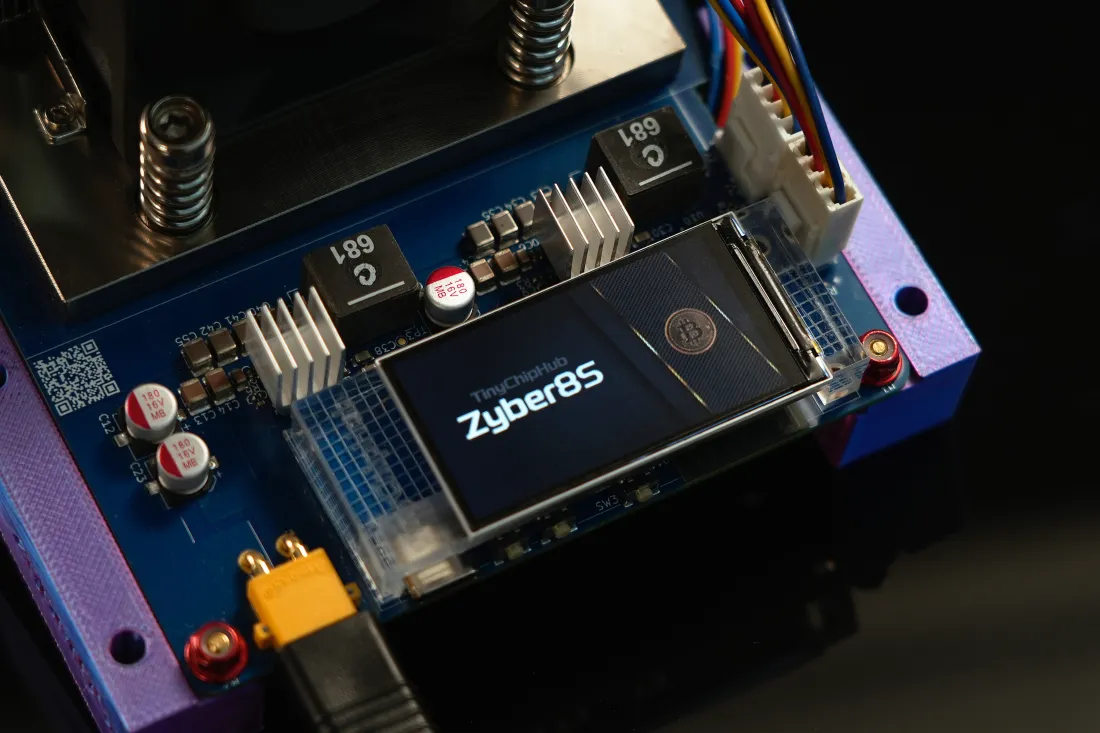
Ⅱ、When selecting a miner, focus on cooling, for example, the Zyber 8G's 2OZ copper full-coverage cooling + optional 6-heatpipe premium cooling kit makes it a truly cool and quiet choice for home use;
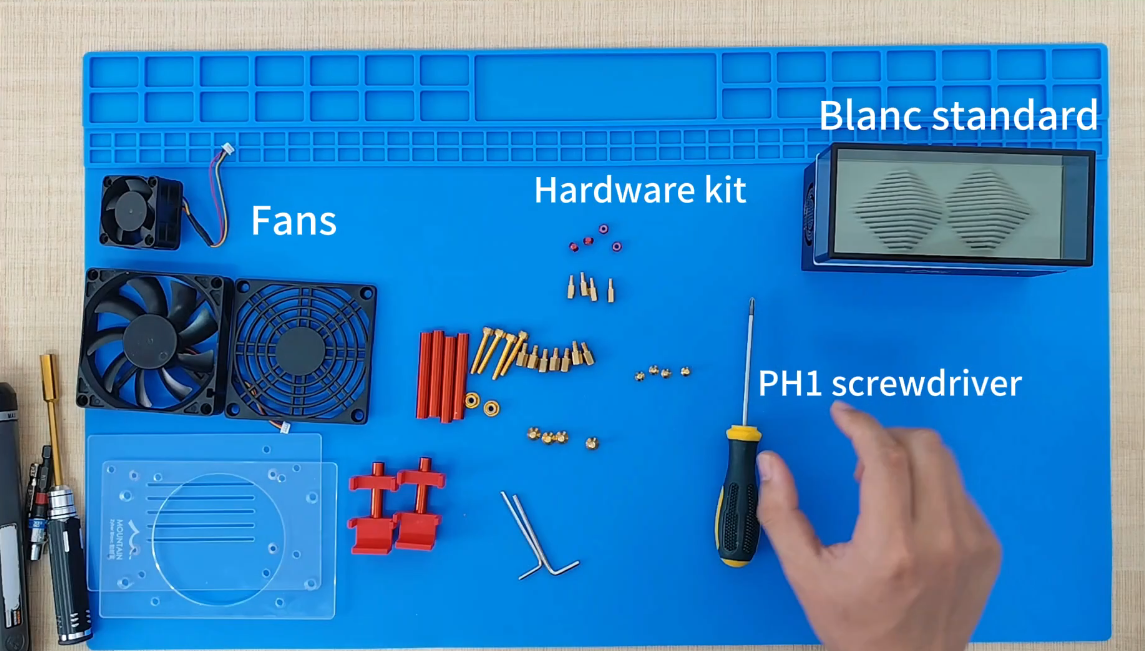
Ⅲ、You don't need many tools, a multimeter, screwdriver set, paired with a custom power supply is sufficient;
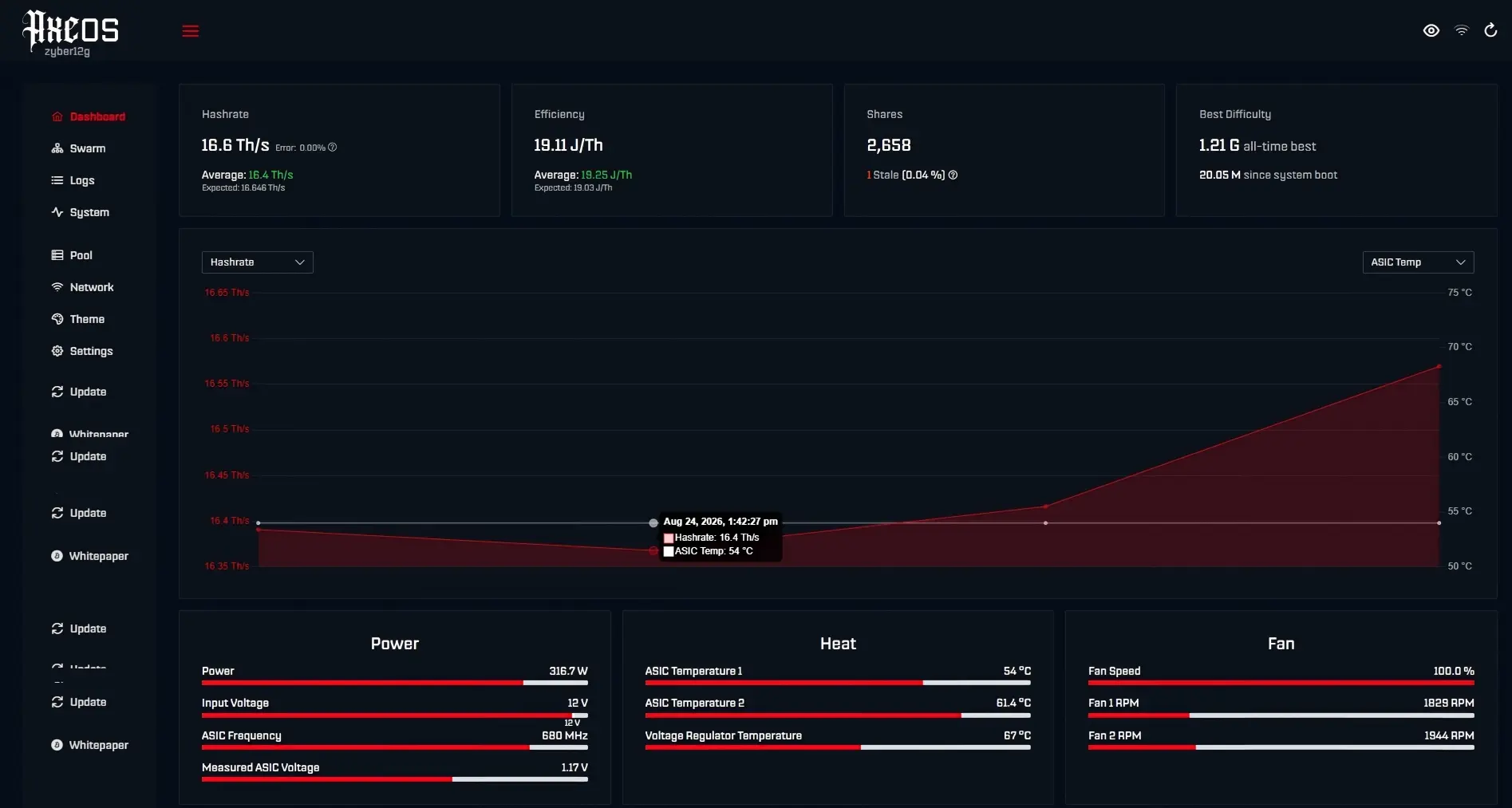
Ⅳ、After powering on, closely monitor the network and hashboard status, the AxeOS interface is clear at a glance.
Building an by hand is really not as complicated as imagined! The joy when you personally power up the hashboard is comparable to drawing the hidden rare item in a blind box!
💡 Learn Bitcoin Mining
The first step is not plugging in and powering on, but spending ten minutes understanding what the Bitcoin network is actually busy with?
Simply put, mining is your miner participating in a global math competition, racing to package transaction data into a "block". Successfully submitting it and getting network confirmation (i.e., finding a valid hash value) earns the block reward. This process is commonly known as "Proof of Work", which is the cornerstone of Bitcoin network security.
| Key Concept | Explanation | Analogy |
|---|---|---|
| Hash Rate | The number of hash calculations your miner performs per second, unit is usually TH/s. | Your "mining muscle" |
| Power Efficiency | Energy consumed per terahash generated, unit is Joules/Terahash (J/TH). | A car's "fuel consumption" |
| Network Difficulty | Measures the difficulty of finding a new block on the Bitcoin network, changes with total hashrate. | Exam passing score |
Don't be intimidated by the word "mining", the essence is your ASIC miner frantically performing SHA-256 hash calculations. According to Bitcoin's protocol design, the network difficulty adjusts dynamically every 2016 blocks (about two weeks) to maintain an average block time of around 10 minutes.
Taking mainstream ASIC miners as an example, like the newly launched Zyber 8G home miner, its hash rate is up to 10 Th+/s ±10%, power consumption is 180W, and power efficiency is 18 J/TH. Understanding these basic protocols and hardware parameters helps you later judge if the miner is "working properly" and not just burning electricity idle.
Pick ASIC Miner💰
The core of choosing a miner is three words: look at cooling. ASIC miners are major power consumers, over 70% of energy converts to heat. Poor cooling leads to immediate thermal throttling, and hash rate drops significantly. For home environments, you need the "cool and quiet type", not the "jet fighter".
How to look specifically?
Focus on the material and scale of the cooling module. For example, the optimized for home scenarios has a core selling point of using 2OZ thickness copper substrate full-coverage cooling, and offers an optional 6-heatpipe premium cooling kit.
-
Prioritize cooling material: Copper > Aluminum. Check heatsink thickness and heat pipe count.
-
Balance hash rate and power: Don't blindly chase high hash rate, it usually comes with high power consumption and noise.
-
Power supply compatibility: Confirm the interface type between miner and PSU to avoid mismatch.
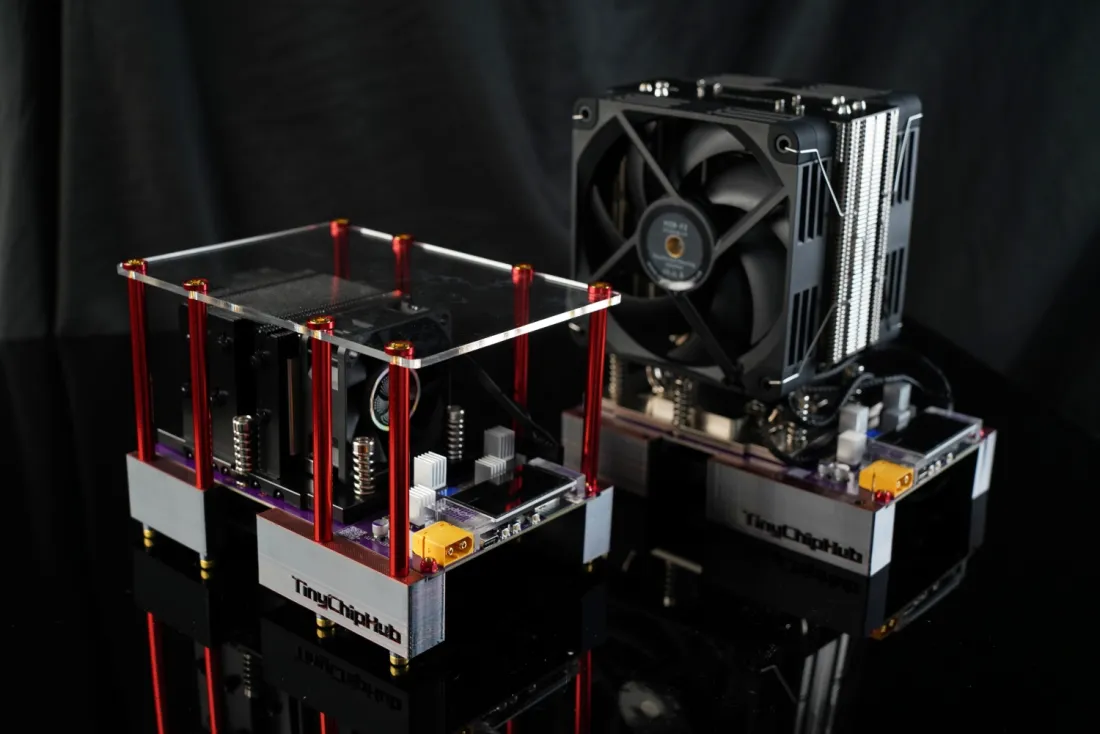
Compared to industrial miners with power consumption often above 3000W and noise levels of 80 decibels, these home models control operating noise below 50 decibels, equivalent to the sound level in a library.
According to IEEE published standards for electronic device cooling, the chip junction temperature should remain stable below 95°C during continuous operation to ensure long-term stable performance.
Gather Tools & Parts🔧
You don't need many tools, but they must be precise. The core trio: multimeter, screwdriver set, custom power supply. Don't try to make do with old household repair tools; mismatched tools can damage ports or cause short circuits.
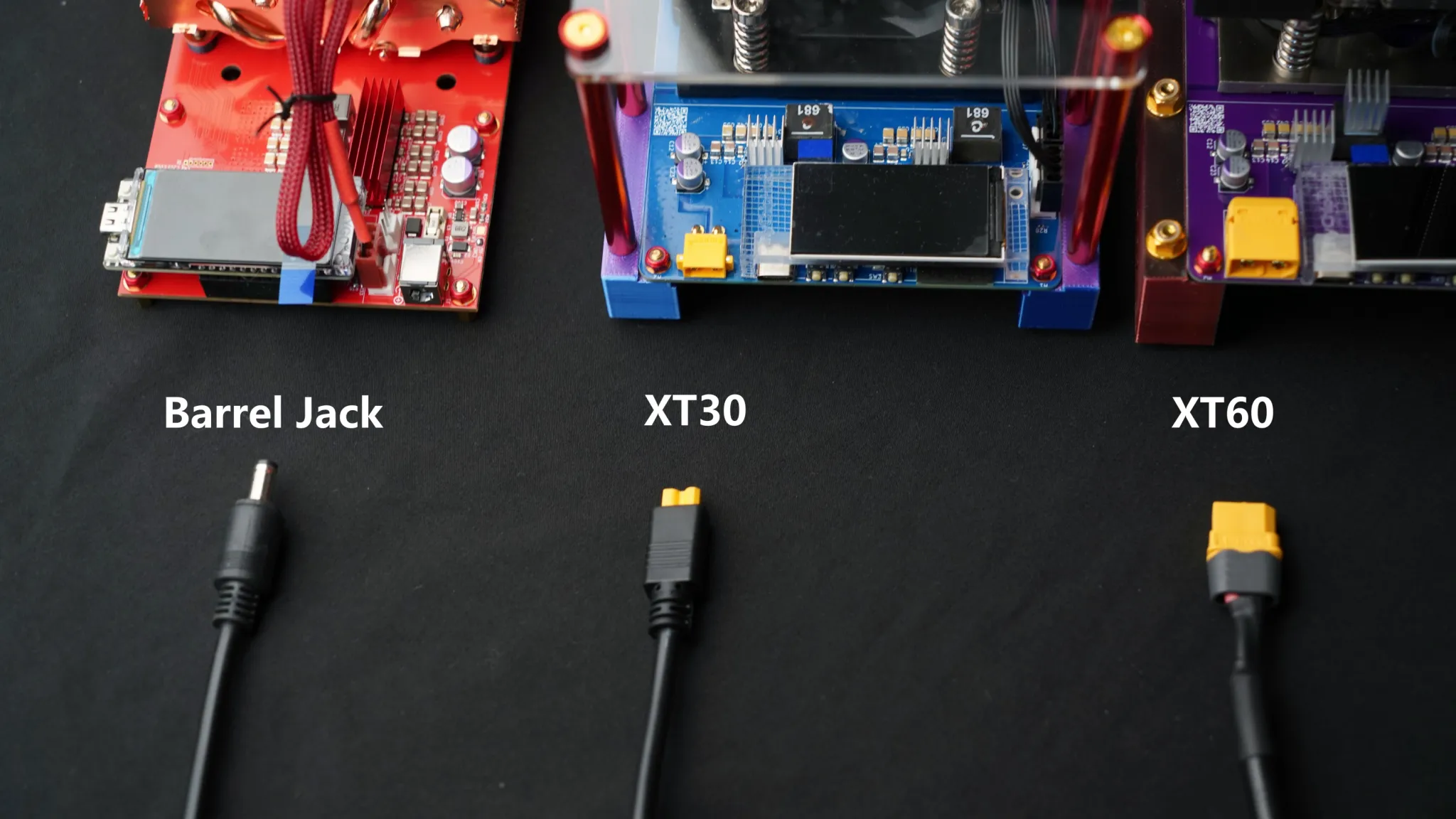
💡Tips: Before connecting power, you must use a multimeter to measure if the mains voltage is stable at 220V (±10%), and check if the PSU output voltage matches the miner's rated voltage (usually 12V).
-
Check electricity: Use a multimeter to confirm input/output voltages are normal, safety first.
-
Secure: Use the appropriate screwdriver to firmly install the miner frame (fans, heatsink) onto the circuit board.
-
Connect cables: Connect power cables, ensure interfaces are tight and secure.
-
Final pre-power check: Visually inspect the miner structure and PSU interfaces, confirm everything is correct.
According to International Electrotechnical Commission (IEC) safety standards, adapters must have multiple protections like over-voltage, over-current, and short-circuit. Compared to standard PSUs, custom PSUs have 3-5ms faster dynamic load response, better handling current fluctuations from miner hash rate variations.
🔥 Troubleshoot
Powering on is just the beginning; stable operation is the real skill. Therefore, learning to read data and troubleshoot quickly is essential for the home miner. The core is monitoring two interfaces: the mining pool backend (IP address: 192.168.xxx.xxx) and the miner's local management interface (like AxeOS).
| Common Issue | Possible Cause | Troubleshooting Steps (Easiest first) |
|---|---|---|
| Pool shows 0 hash rate | Network disconnect, wrong pool address/port, wrong worker ID | 1. Check network cable 2. Verify pool config 3. Reboot miner |
| Cannot access miner interface | IP conflict, miner system frozen | 1. Check router for IP 2. Reboot miner 3. Try reset |
| Individual hashboard abnormal/offline | Loose cable, hashboard hardware fault | 1. Re-seat cables 2. Swap cable test 3. Contact support |
After powering on, first check your router's admin panel to see if the has obtained an IP address. Then enter that IP address in a browser to access the miner's management interface. First, look at the "Dashboard", focusing on the "Hashboard Status". Second, look at the "Valid Shares" and "Rejection Rate" submitted to the pool.
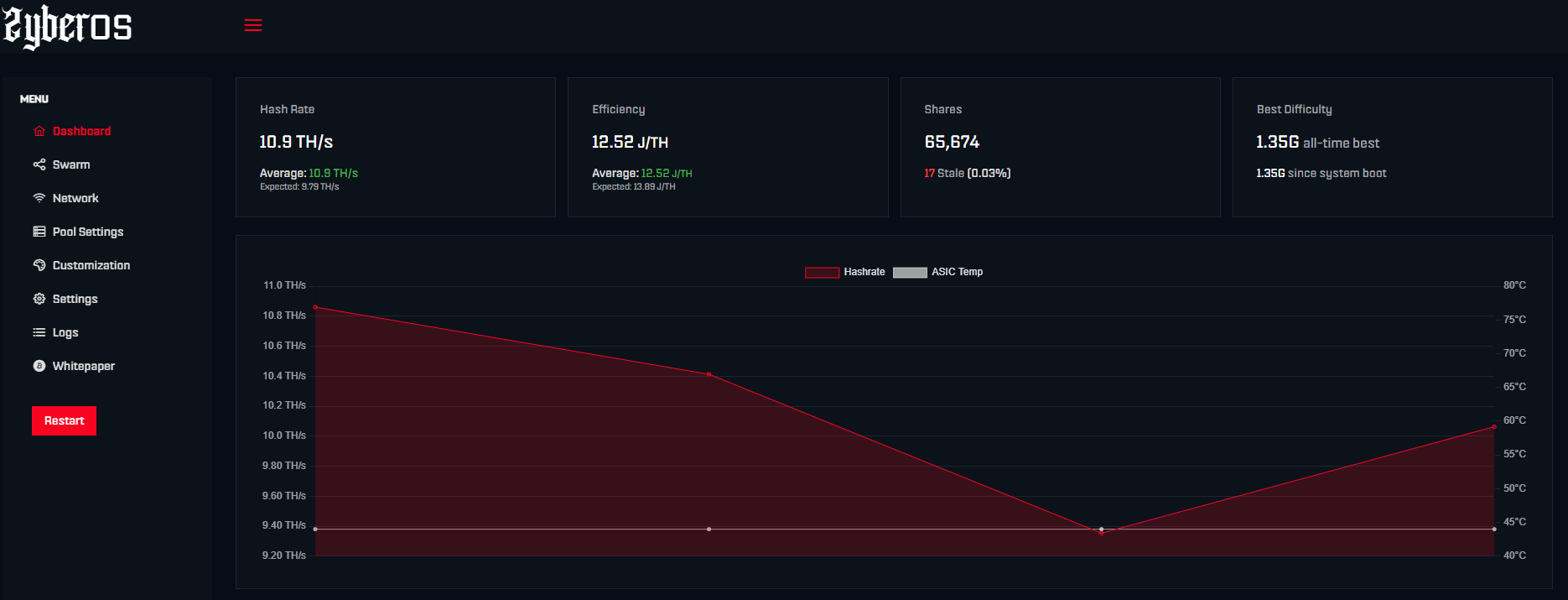
Each hashboard should show "Normal" with temperatures within a reasonable range. If a board shows "Abnormal" or "Dead", try rebooting the miner first. If the problem persists, it might be a hashboard or connection cable fault.
According to Slush Pool's official documentation, a healthily running miner should have a rejection rate below 2%. A sudden spike in rejection rate likely indicates unstable network connection or overly aggressive overclocking settings.